
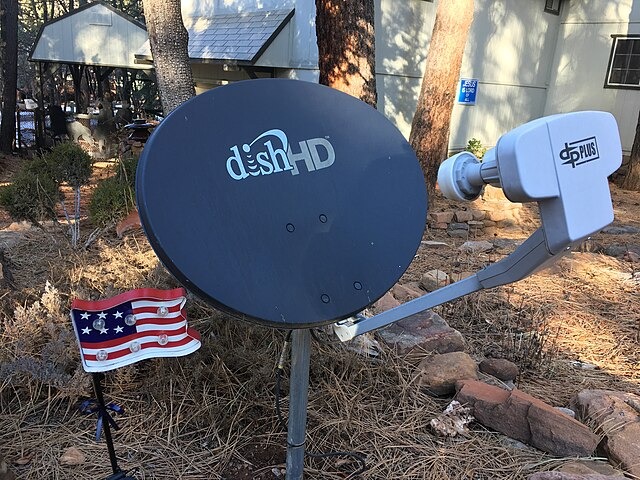
Are you having difficulty recording shows on Dish? Dish DVR allows you to record shows to create your own personally curated on-demand library. However, if you can’t record a show, or if a recording is missing, it’s understandable why you may feel frustrated. Here is what to do if Dish DVR is not recording shows properly.
Quick Checks (60 Seconds)
Before we get into additional troubleshooting steps, try the following quick fixes to see if they resolve the issue.
- Power-cycle your TV by unplugging it and replugging it and then turning it on.
- If you are using the Dish Anywhere app, make sure the app is up to date.
- Check your Hopper to see if missing recordings appear there.
- Reset the receiver by pressing the home button three times, scrolling to Tools, and selecting Hopper.
- Log out of Dish Anywhere and log back in.
- Upgrade your Hopper software by pressing the home button three times, scrolling to Tools, selecting Upgrade Software, and selecting Upgrade Now.
Playback Freezing, Buffering, or Won’t Play
Playback freezing can occur due to several reasons, including overheating, a corrupted hard drive, software glitches, outdated software, and signal interference.
Here are some quick fixes to help solve playback issues:
- Lower the resolution temporarily.
- Make sure all cables are properly connected.
- Make sure the receiver has proper ventilation and isn’t blocked.
- Perform a reset by unplugging and replugging your receiver.
- When using Dish Anywhere, make sure you have a stable internet connection.
- Make sure Dish Anywhere is up to date.
- Go to Menu > Settings/Preferences > Updates on your Dish receiver to make sure it’s up to date.
- Make sure there is no interference between the satellite dish and the sky, including fallen leaves, snow, or overhanging branches.
Recording Didn’t Start or Is Missing
If a recording doesn’t start, make sure that there are no scheduling conflicts. The Hopper 3 can record up to 16 shows at the same time, as it has 16 tuners, but the Hopper 2 can only record three shows at once.
In addition, make sure that you have properly scheduled the show to be recorded, including the correct channel, date, and start time, and that you have enough storage to record the show.
Recording Cut Off Early/Late
If the recordings are cutting off early or late, apply padding to the scheduled recording time so that it starts a few minutes earlier and ends a few minutes later. This will help ensure that the recording doesn’t get cut off. However, when doing that, be aware of potential scheduling conflicts and set the correct priorities so you don’t miss a show.
Deleted by Mistake (Trash Recovery)
If you deleted a show by mistake, press the DVR button on your remote and then select Trash. Select the show you want to restore and press the Recall/blue button. Note that you need to do this within 48 hours, or the show may be deleted permanently.
Storage Almost Full
If your storage is almost full, you won’t be able to record more shows. You can delete existing shows to make more space.
However, you can also consider upgrading your Hopper or adding external storage. The Hopper 3 provides 2 TB of internal storage and up to 7 TB of external, expandable storage. To check your current available storage, click on the Menu button on your remote and navigate to Recordings > Recording Space.
Signal Strength & Wiring
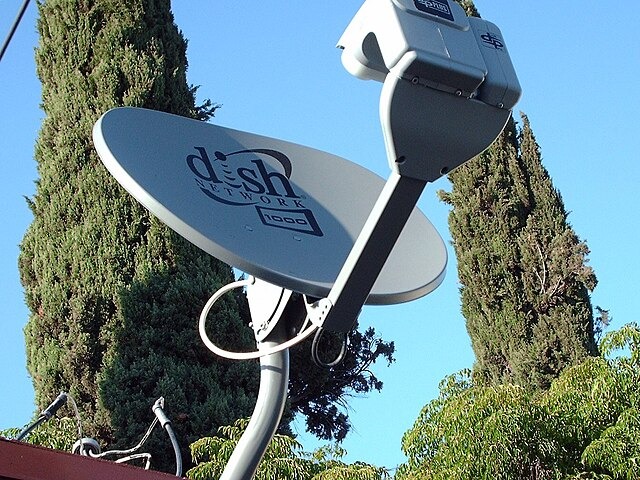
If you are experiencing interference, it may be due to poor signal strength or defective wiring. Inspect the coaxial cables and make sure they are properly secured and undamaged. If the weather is harsh, consider waiting until the storm passes. Make sure the satellite dish is clear of debris and snow and trim tree branches that may be obstructing its line of sight to the sky.
Series Timer & Priority Hygiene
You can always set and manage timers by pressing the DVR button and going to the Timers tab. There, you can adjust the timer or select a priority. To set a priority, select the series, select Edit Timer, and then adjust its priority level. By setting higher priorities for shows you don’t want to miss, you can ensure they are still recorded even if there are scheduling conflicts.
When to Do a Full Reset (Last Resort)
I only recommend a full reset when everything else fails. To perform a full reset, navigate to Menu > Settings > Reset Options > Reset Everywhere. This will remove all recordings and settings.
Hardware Red Flags & Support

You should also be on the lookout for red flags indicating that the hardware has failed, such as clicking noises, frequent error codes, and repeated failed recordings. In that case, consider contacting Dish support for professional help or a replacement.
Conclusion
Dish is a great service provider that has extensive network coverage even in rural areas, and with the Hopper 3, you can record 16 shows at once for later viewing and enjoy a vast storage space. Dish DVR recording conflicts and issues can occur, but they are usually easy enough to fix.
Related posts:
 How to Troubleshoot New World Voice Chat Disabled Issue?
 How To Set Waze As Default On Iphone
 How to Troubleshoot Directv’s Second Receiver Connection Issues?
 Troubleshooting Spectrum Cable Box Error Codes
How to Program Your Cox Remote for Samsung TV: A Step-by-Step Guide
Troubleshooting Spectrum Cable Box Error Codes
How to Program Your Cox Remote for Samsung TV: A Step-by-Step Guide
 Best Smart Home Devices for Beginners in 2025
 How to Save Your Word Document on a Mac
How To Record Mp4 On Iphone
How to Save Your Word Document on a Mac
How To Record Mp4 On Iphone
