 Skip to content
Venmo is a popular payment app that allows users to send and receive money from their friends and family. However, sometimes users may experience issues with their Venmo payment not showing up in their bank account. This can be a frustrating experience, but there are a few things that you can do to resolve the issue.
Wait for 30 Minutes
If your Venmo payment is still showing as pending in your app, you should wait for at least 30 minutes before checking your bank account statement for the deposit. Sometimes, it can take a little while for the payment to process and show up in your account. If you check too soon, you may not see the payment reflected in your account.
Check Your Bank Account Statement
If you have waited for at least 30 minutes and your Venmo payment is still not showing up in your bank account, you should check your bank account statement. Make sure that you are looking at the correct account and that the payment has not been deposited into a different account. If you still don’t see the payment, you should reach out to your bank directly to inquire about the status of the payment.
Consider an Instant Transfer
If you need the money from your Venmo payment right away, you can consider using an instant transfer. With an instant transfer, the money will arrive in your bank account usually within 30 minutes, but Venmo will charge a 1% fee, with a minimum of $0.25 and a maximum of $10. This option is ideal if you need the money urgently and are willing to pay the fee.
Use Standard Withdrawal
If you don’t need the money right away, you can use the standard withdrawal option. This option does not charge a fee, but it can take up to three business days for the payment to show up in your bank account. If you are not in a rush, this option is the best choice.
If your Venmo payment is not showing up in your bank account, you should wait for at least 30 minutes before checking your bank account statement. If the payment is still not showing up, you should reach out to your bank directly to inquire about the status of the payment. Consider an instant transfer if you need the money urgently or use standard withdrawal if you are not in a rush. By following these steps, you can resolve the issue and receive your payment without any further problems.

Understanding Delays in Venmo Payments Showing in Bank Accounts
There could be several reasons why your Venmo payment isn’t showing in your bank account. Here are some possible explanations:
1. Processing time: It’s important to note that transfers from Venmo to a bank account typically take 1-3 business days to process. If the payment was sent recently, it’s possible that it’s still in transit.
2. Bank account verification: Before you can transfer funds from Venmo to your bank account, you must first verify your bank account. This process can take a few days, so if you haven’t completed it yet, that could be the reason why the payment isn’t showing up.
3. Insufficient funds: If there weren’t enough funds in your Venmo account to cover the payment, the transfer may not have gone through. Make sure you have enough funds in your account before attempting to transfer money.
4. Incorrect bank account information: Double-check that you entered the correct routing and account numbers when setting up your bank account on Venmo. If the information is incorrect, the transfer won’t go through.
If you’ve ruled out these possibilities and the payment still isn’t showing up in your bank account after a few days, you may want to contact Venmo customer support for further assistance.
How Long Does it Take for a Venmo Payment to be Deposited into My Bank Account?
When you transfer money from your Venmo account to your bank account, the time it takes for the payment to show up in your bank account will depend on the method you choose. If you opt for an instant transfer, the money will typically arrive within 30 minutes of the transfer, but Venmo will charge you a 1% fee, with a minimum of $0.25 and a maximum of $10. On the other hand, if you choose to use the standard withdrawal method, the transfer may take up to three business days to show up in your bank account, but there is no fee for this option. It’s important to note that weekends and holidays may impact the transfer time, so be sure to plan accordingly.
Conclusion
Having a bank account can be a convenient and secure way to manage your finances. It allows you to deposit and withdraw money, pay bills, and make purchases without the need for cash. However, it is important to choose a bank that offers the services and benefits that meet your needs and to keep an eye on any fees and charges that may accrue. By staying aware of your account activity and taking advantage of online banking and mobile apps, you can make the most of your bank account and stay on top of your finances.
Related posts:
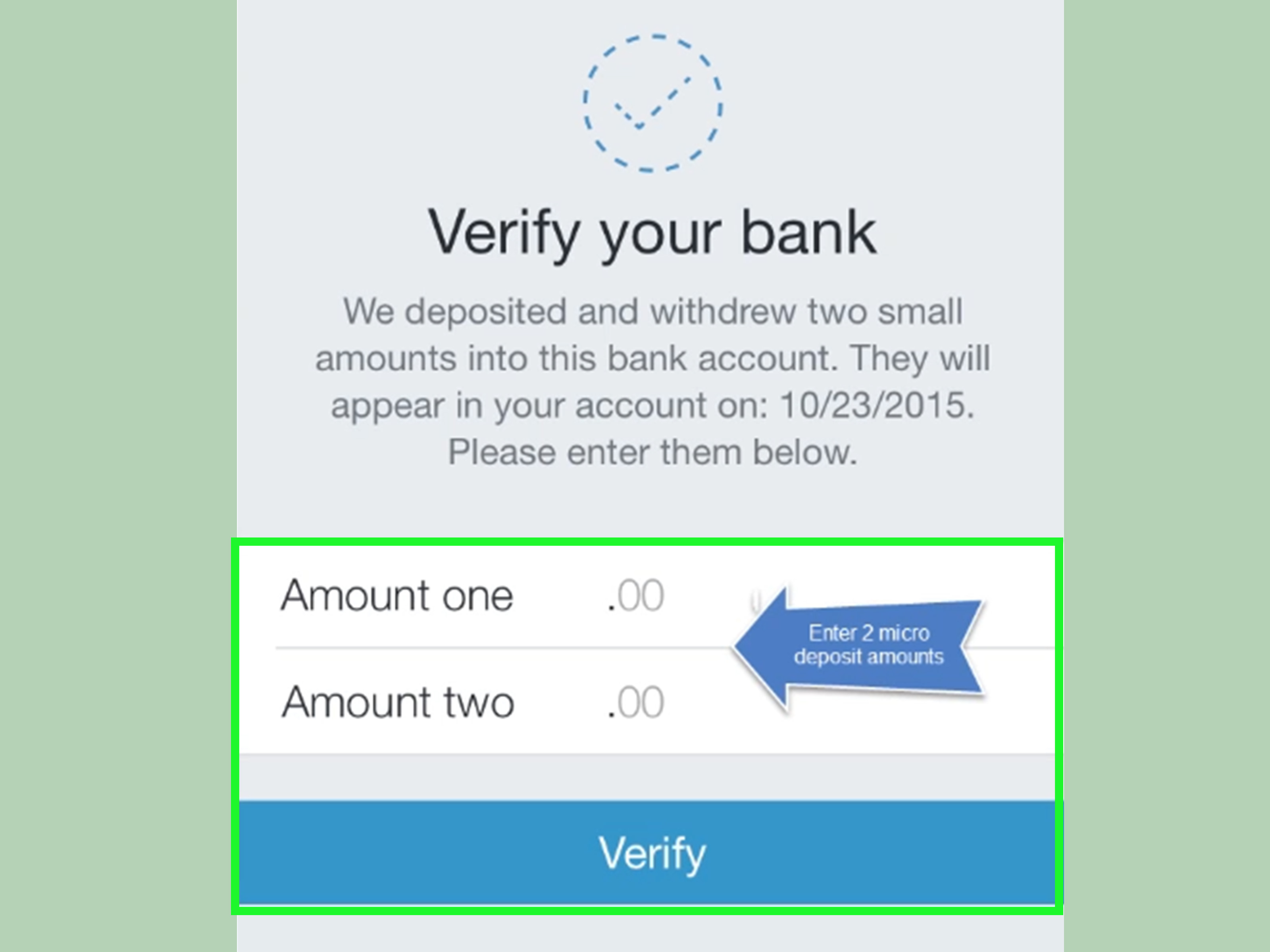 How to Verify Your Bank Account on Venmo?
  How to Troubleshoot When Venmo Won’t Add Your Bank Account?
  What To Do If Your Venmo Account Is Frozen ?
  Unlock Endless Business Possibilities with Cash App Business Account
  Troubleshooting Cash App Failed to Link Bank Account
  How to Link Bank Account to Webull?
  Is Venmo Safe to Use With Strangers?
  Venmo’s Loss of Connection with Bank Plaid: Is It Safe?